
All Video Downloader PC
MobiDevApps
Download All Video Downloader on PC With GameLoop Emulator
All Video Downloader on PC
All Video Downloader, coming from the developer MobiDevApps, is running on Android systerm in the past.
Now, You can play All Video Downloader on PC with GameLoop smoothly.
Download it in the GameLoop library or search results. No more eyeing the battery or frustrating calls at the wrong time any more.
Just enjoy All Video Downloader PC on the large screen for free!
All Video Downloader Introduction
Download Videos Easily and Quickly with Video Downloader!
Searching for a fast and reliable way to download videos? Look no further! Video Downloader lets you save videos from nearly any website for offline viewing, eliminating buffering and lag. Enjoy your favorite content anytime, anywhere, even without an internet connection.
Key Features for Seamless Video Downloading:
* Lightning-Fast Downloads: Experience blazing-fast video downloads with our multi-connection download manager. Download videos several times faster than with other applications.
* Built-in Private Browser: Browse with confidence using our integrated private browser with incognito mode and PIN protection. Keep your browsing history and downloaded videos private.
* Powerful Ad Blocking: Enjoy an uninterrupted viewing experience with our fully featured ad blocker. Use your own filter lists for customized ad blocking.
* Multiple SD Card Support: Manage your downloaded videos efficiently with support for multiple SD cards.
How to Download Your Videos:
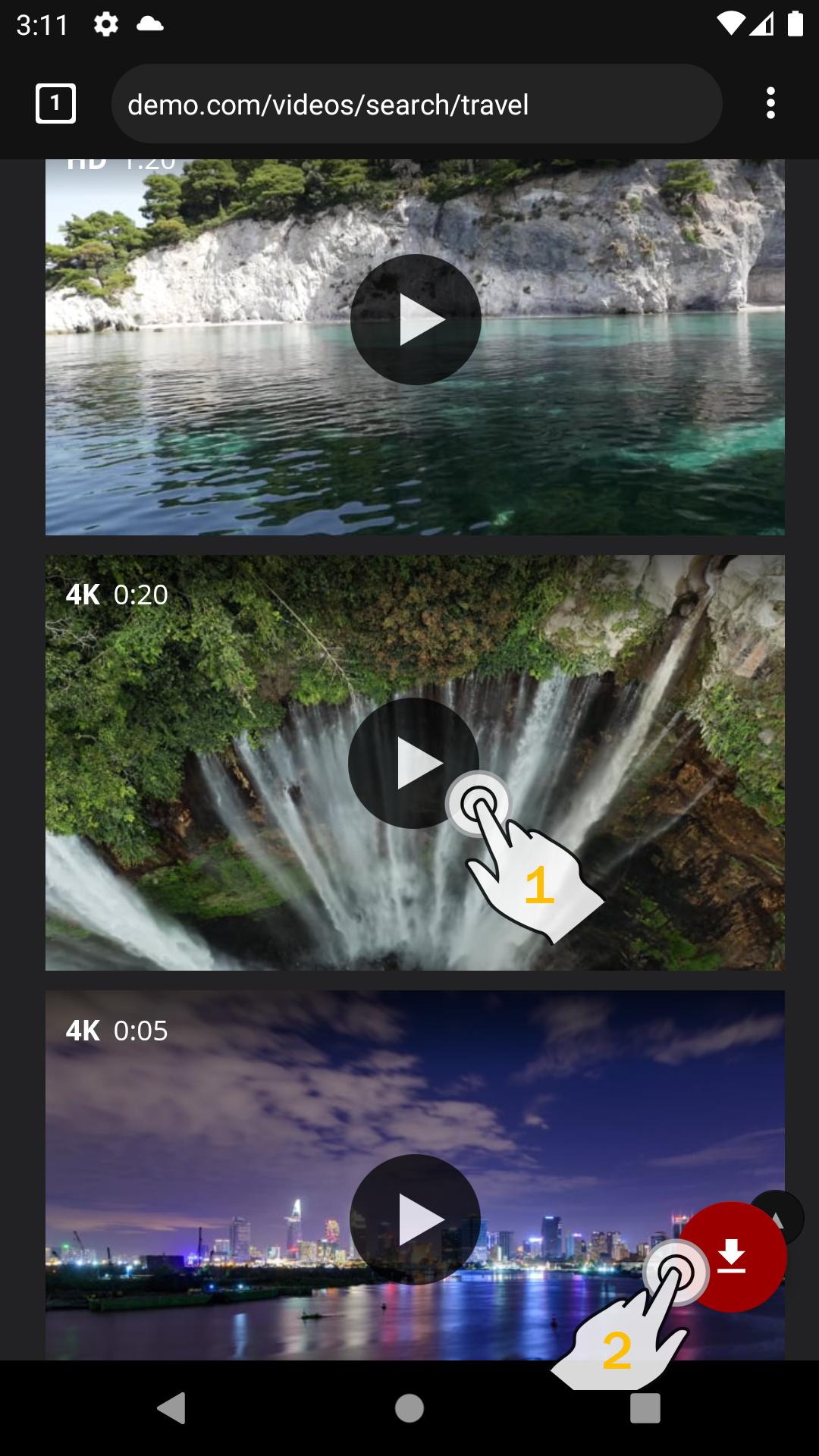
1. Enter the website URL in our built-in browser.
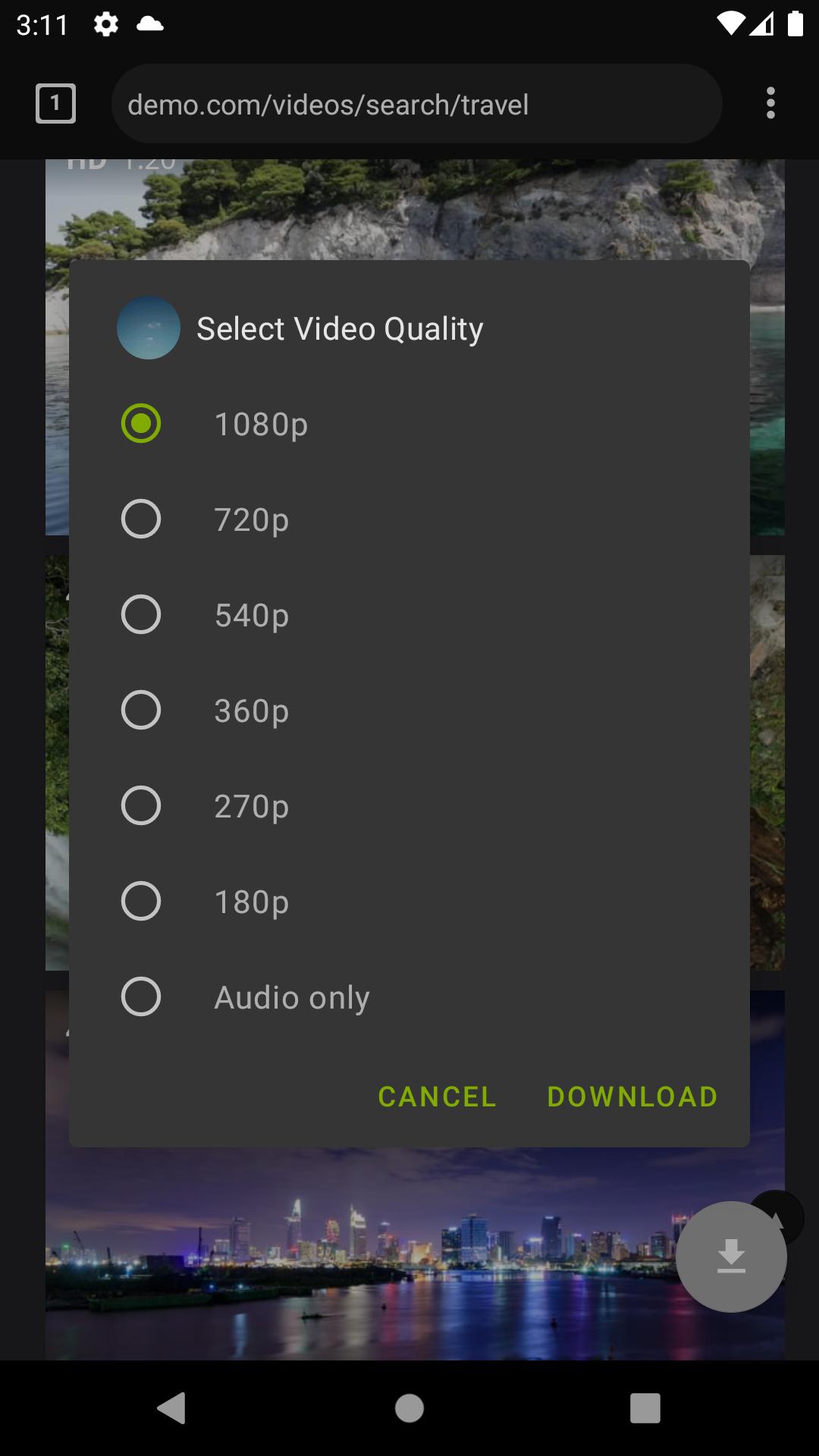
2. Select the desired video quality in the player.
3. Tap "Play" and wait for the video to start (skip any ads).
4. Tap the download button that appears.
More Convenient Features:
* Bookmark Your Favorite Sites: Save your frequently visited websites for quick access.
* Bookmark Import/Export: Easily transfer your bookmarks to other devices.
* Background Downloading: Download videos in the background while using other apps.
* Simultaneous Downloads: Download multiple files at the same time.
* Download Management: Pause, resume, and remove downloads with ease.
* Resume Failed Downloads: Pick up interrupted downloads right where they left off.
* Large File Support: Download files larger than 4GB.
Important Legal Notice: This application should only be used to download videos when you have the website owner's permission or when your local intellectual property laws allow for personal use downloads. The user is solely responsible for any illegal actions performed with this application.
Preview
Tags
ToolsInformation
Developer
MobiDevApps
Latest Version
2.0.9
Last Updated
2025-09-11
Category
Tools
Available on
Google Play
Show More
How to play All Video Downloader with GameLoop on PC
1. Download GameLoop from the official website, then run the exe file to install GameLoop
2. Open GameLoop and search for “All Video Downloader” , find All Video Downloader in the search results and click “Install”
3. Enjoy playing All Video Downloader on GameLoop
Minimum requirements
OS
Windows 8.1 64-bit or Windows 10 64-bit
GPU
GTX 1050
CPU
i3-8300
Memory
8GB RAM
Storage
1GB available space
Recommended requirements
OS
Windows 8.1 64-bit or Windows 10 64-bit
GPU
GTX 1050
CPU
i3-9320
Memory
16GB RAM
Storage
1GB available space