
Monster GFX Tool for BGMI PC
Krunal Tanti
GameLoopエミュレーターを使用してPCにMonster GFX Tool for BGMIをダウンロードします
Monster GFX Tool for BGMI PC版
開発者Krunal TantiからのMonster GFX Tool for BGMIは、過去にAndroidsystermで実行されています。
これで、GameLoopを搭載したPCでMonster GFX Tool for BGMIをスムーズにプレイできます。
GameLoopライブラリまたは検索結果にダウンロードしてください。 バッテリーに目を向けたり、間違った時間にイライラしたりすることはもうありません。
大画面でMonster GFX Tool for BGMIPCを無料でお楽しみください!
Monster GFX Tool for BGMI 序章
This GFX Tool improves your game play to a great extent.
This tool provides 90 fps frame rate to give a smooth gaming experience to the gamers. Moreover, this tool is also completely free to use.
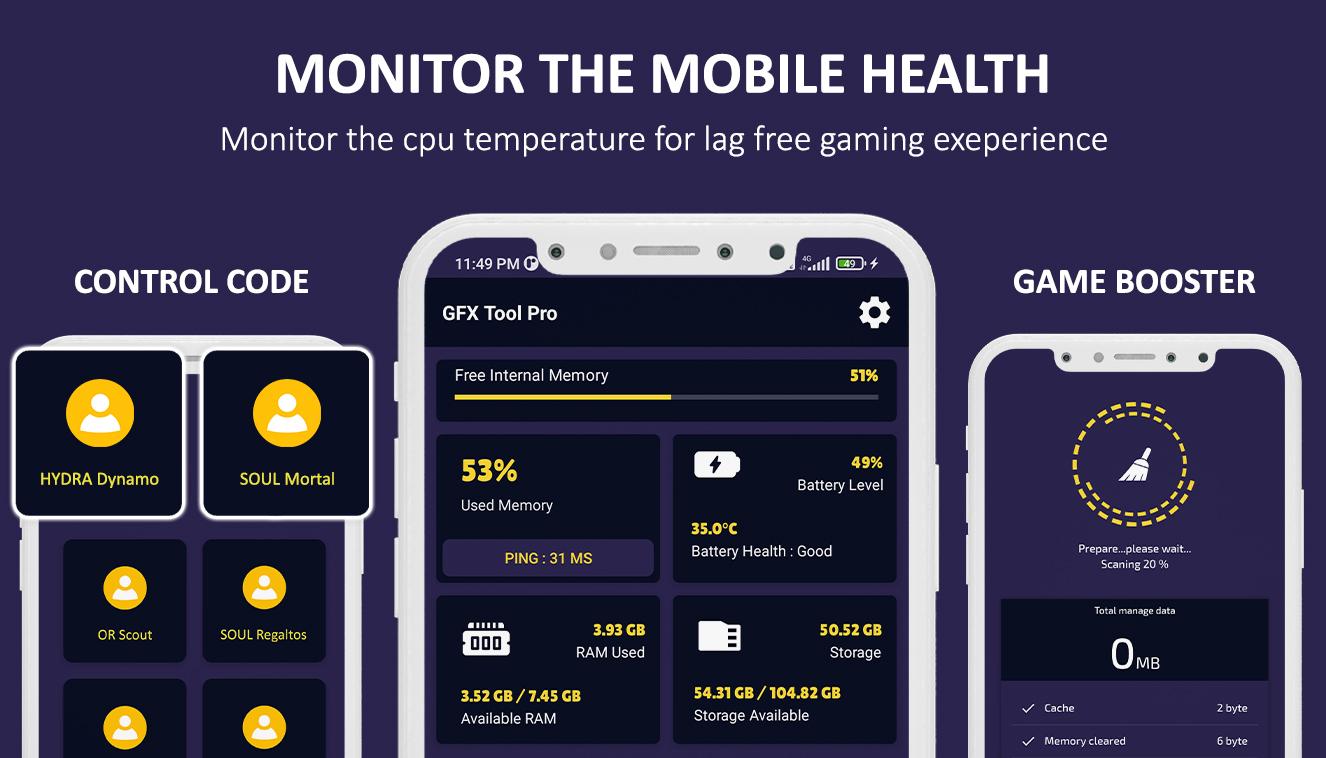
In game booster is an easy to use and cleans your cache memory and provides you better gaming experience
Features
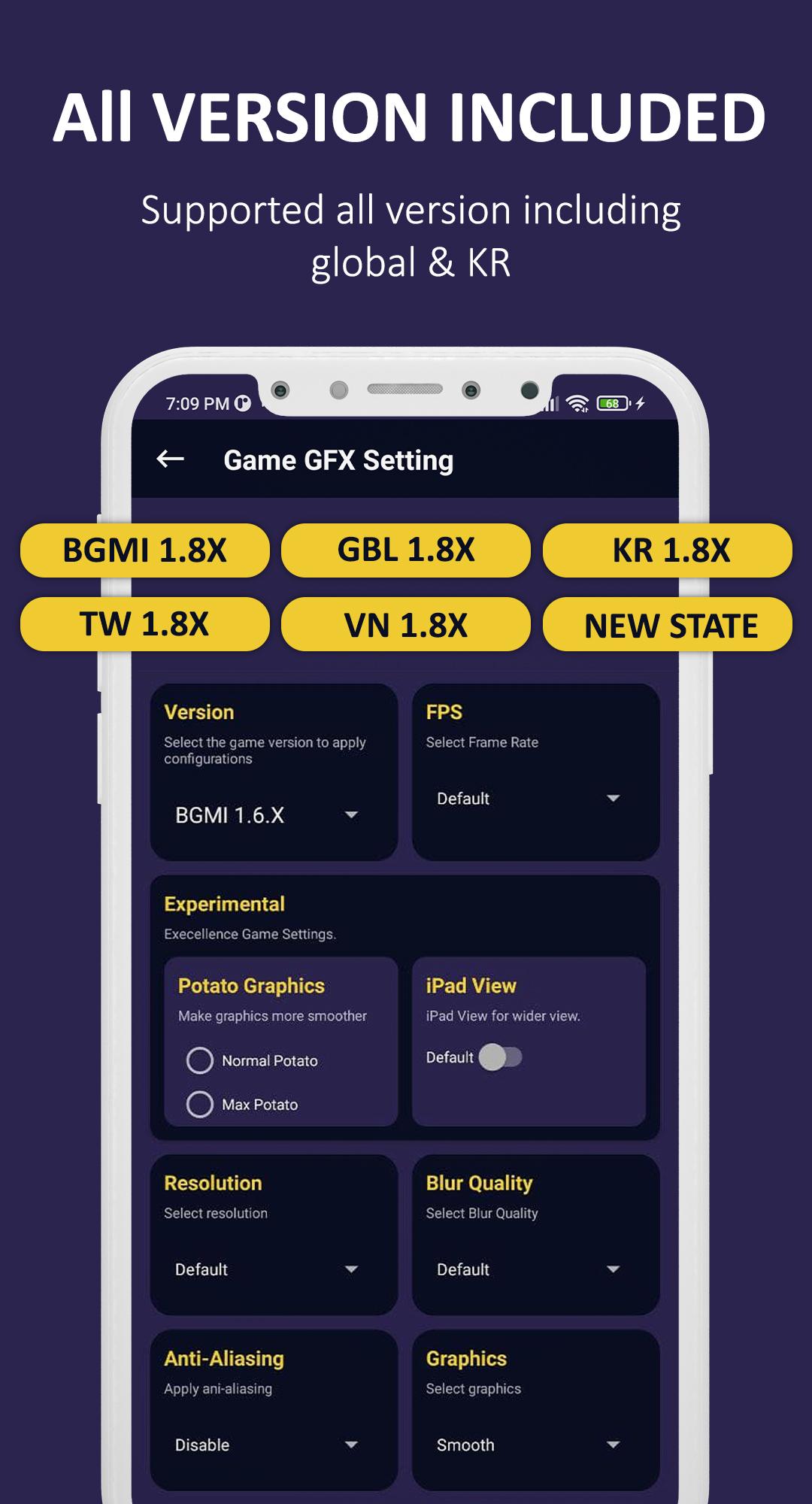
• All version supported including global and etc.
• iPad view for gaming enhancement and enable more wider view
• Unlock all graphics levels and Change resolution according to your device
• Unlock all fps levels including 90fps
• Gaming booster for optimize cache memory
• Enable anti aliasing and Сustomize your shadows
• Ultra audio for better sound experience
• Potato graphics supported for lower device
• Overheat notification panel alert when temperature goes high
• Pro player control code and sensitivity settings
• Lag free and smooth gaming experience
How to access this tool
• After opening the app, click on the GFX button
• Wait a few seconds till the unlocked all setting files
• After unlocked all setting file you can select the graphics, frame rate, version and all other options according to your own.
• Then click on apply button and run the game
All images in this app are copyright free but we have violated your intellectual property rights or any other agreement, please contact us by e-mail kkt1181996@gmail.com, we will immediately take the necessary measures.
プレビュー
タグ
ツール情報
デベロッパー
Krunal Tanti
最新バージョン
3.7
最終更新
2022-08-02
カテゴリー
ツール
上で利用可能
Google Play
もっと見せる
PCでGameLoopを使用してMonster GFX Tool for BGMIをプレイする方法
1. 公式WebサイトからGameLoopをダウンロードし、exeファイルを実行してGameLoopをインストールします
2. GameLoopを開いて「Monster GFX Tool for BGMI」を検索し、検索結果でMonster GFX Tool for BGMIを見つけて、「インストール」をクリックします。
3. GameLoopでMonster GFX Tool for BGMIを楽しんでください
Minimum requirements
OS
Windows 8.1 64-bit or Windows 10 64-bit
GPU
GTX 1050
CPU
i3-8300
Memory
8GB RAM
Storage
1GB available space
Recommended requirements
OS
Windows 8.1 64-bit or Windows 10 64-bit
GPU
GTX 1050
CPU
i3-9320
Memory
16GB RAM
Storage
1GB available space