
Game Mode: Game Assistant PC
scoreboot
گیم لوپ ایمولیٹر کے ساتھ PC پر Game Mode: Game Assistant ڈاؤن لوڈ کریں۔
پی سی پر Game Mode: Game Assistant
Game Mode: Game Assistant، جو ڈویلپر scoreboot سے آرہا ہے، ماضی میں اینڈرائیڈ سسٹم پر چل رہا ہے۔
اب، آپ پی سی پر Game Mode: Game Assistant آسانی سے GameLoop کے ساتھ چلا سکتے ہیں۔
اسے GameLoop لائبریری یا تلاش کے نتائج میں ڈاؤن لوڈ کریں۔ مزید غلط وقت پر بیٹری یا مایوس کن کالوں پر نظر نہیں ڈالی جائے گی۔
بس بڑی سکرین پر Game Mode: Game Assistant PC کا مفت میں لطف اٹھائیں!
Game Mode: Game Assistant تعارف
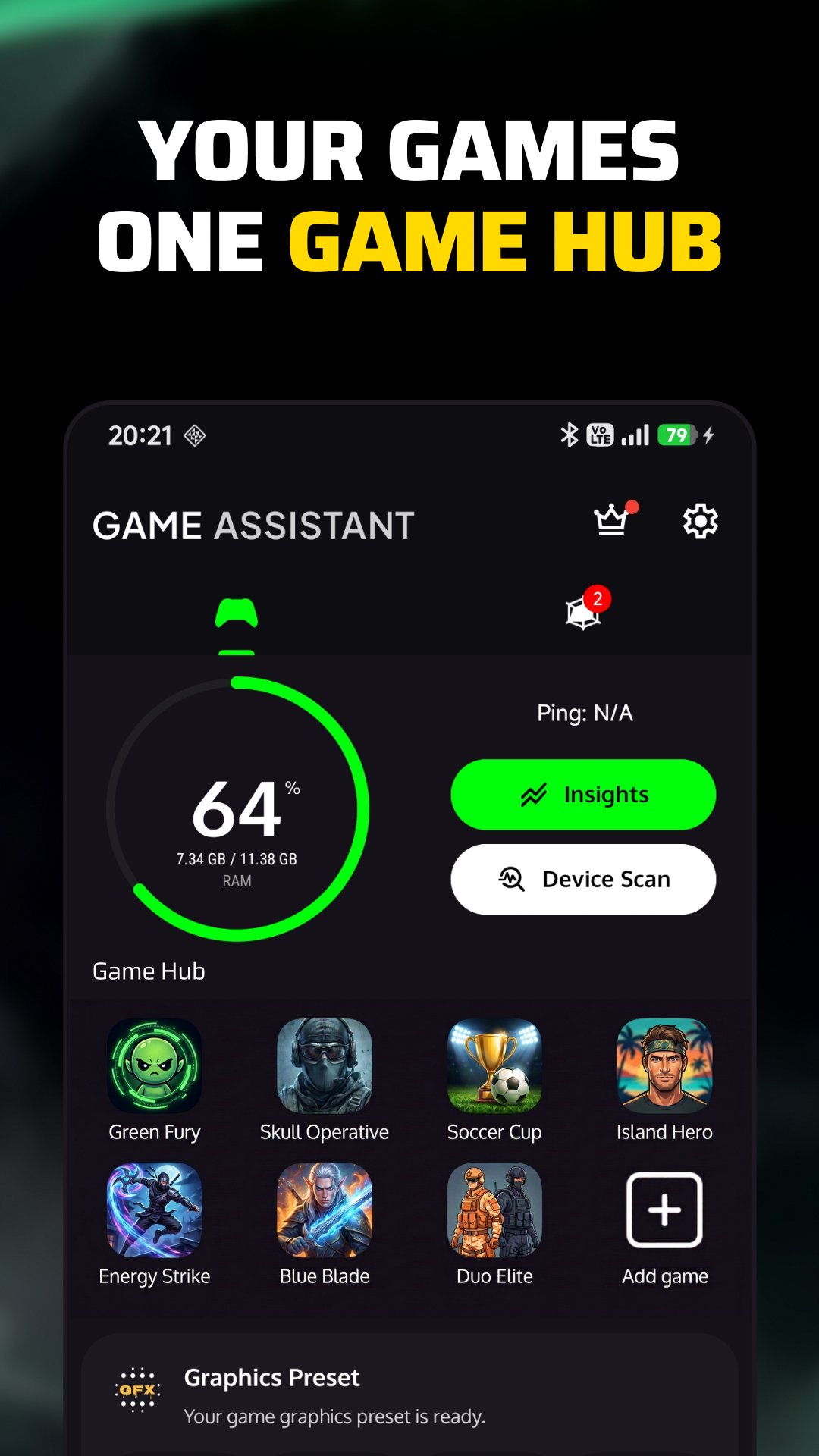
Game Mode brings your gaming hub, game launcher and in-game tools together in one place.
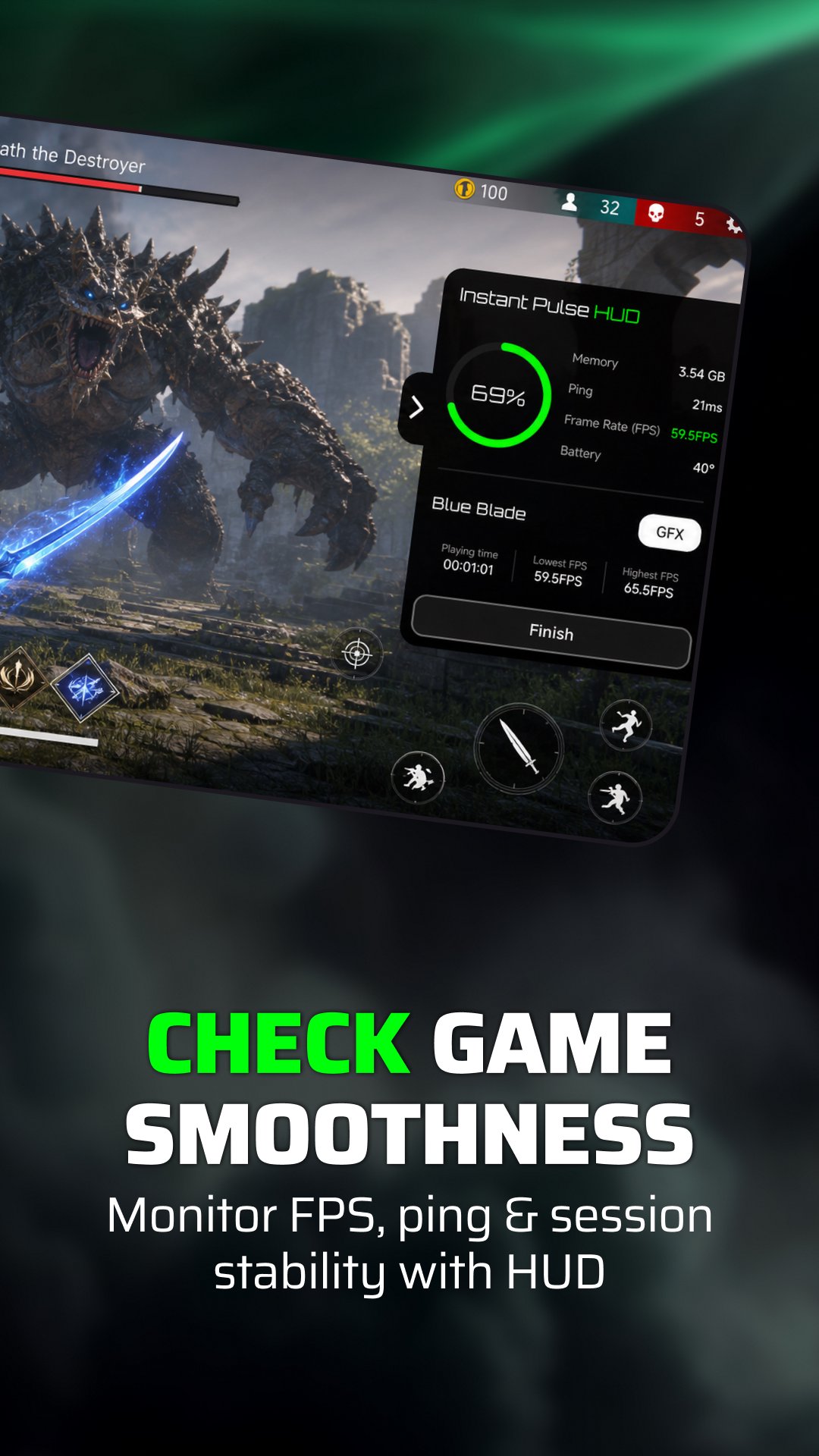
Quickly access installed games from your game space using the built-in game launcher, open the Gaming Panel during play, follow frame-rate readings with the FPS Meter — including 120 FPS when supported — and get GFX Tips with device-based graphics guidance for supported games. This gaming mode keeps your main tools connected before, during and after each session.
🎮 Gaming Hub
Keep your installed games together and start them from the built-in game launcher. The gaming hub gives you one place to access your games and the tools you may want around each session.
⚡ Gaming Panel
Open the Gaming Panel while you play to see supported live information. Keep it compact for quick FPS and ping readings, or expand it to view RAM usage, battery information and session time.
The panel appears as an in-game overlay so supported readings can remain visible without leaving the game.
🎯 FPS Meter
Use the FPS Meter to follow frame-rate readings during supported games. Depending on the game, device and Android version, available readings may include 60 FPS, 90 FPS or 120 FPS.
The FPS Meter can remain visible as a compact FPS overlay while you play. After the session, review average FPS and frame-rate stability to better understand how consistently the game ran.
Due to Android limitations, direct game FPS may not be available on some devices or in some games. In these cases, the displayed value may reflect the device's display refresh rate (Hz) rather than the game's actual rendered FPS.
🛠️ Device-Based GFX Tips
Get graphics suggestions based on your device for supported games. Recommendations can include frame rate, resolution, graphics quality, shadow quality and other available graphics options.
Nothing is changed automatically. Review the suggestions and adjust the settings manually inside the game if you want to use them.
Follow live ping and network latency while you play, check useful device conditions before starting, and review session history, smoothness, FPS and ping information afterward through Game Insights and the post-game report.
You can also check supported device information such as available memory, storage, battery level, battery temperature and network status when needed.
🏠 Game Space Home Screen Widget
Use the Home Screen Widget as a quick shortcut to your game space and installed games. Access your games directly from the home screen and get back to your gaming tools faster.
Game Assistant powers the experience before, during and after you play.
Features and readings are informational and may vary depending on the device, Android version, game and system limitations.
پیش نظارہ
ٹیگز
Libraries-&اوزارپیداواری صلاحیتپرسنلائزیشنمعلومات
ڈویلپر
scoreboot
تازہ ترین ورژن
26.3r
آخری تازہ کاری
2026-08-24
قسم
Libraries-demo
پر دستیاب ہے۔
Google Play
مزید دکھائیں
پی سی پر گیم لوپ کے ساتھ Game Mode: Game Assistant کیسے کھیلا جائے۔
1. آفیشل ویب سائٹ سے گیم لوپ ڈاؤن لوڈ کریں، پھر گیم لوپ انسٹال کرنے کے لیے exe فائل چلائیں۔
2. گیم لوپ کھولیں اور "Game Mode: Game Assistant" تلاش کریں، تلاش کے نتائج میں Game Mode: Game Assistant تلاش کریں اور "انسٹال کریں" پر کلک کریں۔
3. گیم لوپ پر Game Mode: Game Assistant کھیلنے کا لطف اٹھائیں۔
Minimum requirements
OS
Windows 8.1 64-bit or Windows 10 64-bit
GPU
GTX 1050
CPU
i3-8300
Memory
8GB RAM
Storage
1GB available space
Recommended requirements
OS
Windows 8.1 64-bit or Windows 10 64-bit
GPU
GTX 1050
CPU
i3-9320
Memory
16GB RAM
Storage
1GB available space